

If you are planning next year's spending in Q4, IT should be more than a single line in the accounts. A reliable IT budget helps your business stay productive, secure and prepared for the realities of operating in the British Virgin Islands.
The aim is not to buy every available technology. It is to understand what your business depends on, plan for predictable costs and reduce the chance that a repair, outage or security issue becomes an expensive surprise.
Why reactive IT spending costs more
Reactive IT spending happens when a business waits until something breaks before deciding what to do. A laptop fails, a firewall subscription expires, a backup cannot be restored or a member of staff clicks on a convincing phishing email. The business then has to respond urgently.
The direct repair cost may be manageable, but the wider cost can include:
- Emergency hardware purchases at less favourable prices.
- Rush shipping and freight to the islands.
- Staff time spent troubleshooting instead of serving clients.
- Lost productivity while systems are unavailable.
- Overtime or emergency engineering charges.
- Delays caused by suppliers, shipping schedules or limited local stock.
- Reputational damage if clients cannot reach you or their information is affected.
For example, replacing a business laptop might cost approximately $1,200–$2,000 depending on its specification. If the failure also leaves a fee earner, property manager or office manager unable to work for two days, the operational cost can quickly exceed the price of the device.
Planned spending gives you more choices. You can replace equipment before failure, compare suppliers, allow for shipping lead times and schedule work around the business.
What should be included in a 2027 IT budget?
1. Managed IT support
Managed IT Services should be a core operating cost, not an emergency reserve. A good agreement can include monitoring, patching, help desk support, device management, security checks and regular technology planning.
When comparing providers, check:
- What is included in the monthly fee?
- Are response times clearly defined?
- Is local or on-island support available?
- Are onsite visits, projects and after-hours work separate?
- Who is responsible for reviewing risks and upcoming renewals?
For a BVI business, local support with guaranteed response times can be particularly valuable. An offshore-only provider may offer a lower monthly price but be unable to send someone locally when a network, power or hardware issue needs attention.
Explore Fresh Mango Managed IT Services as part of your planning.
2. Microsoft 365 licensing and administration
Microsoft 365 licensing is usually a recurring cost based on users and selected plans. Budget for expected headcount changes, new starters, leavers and any additional requirements such as Teams Phone, Intune, Defender or compliance features.
The licence is only one part of the cost. You may also need to budget for:
- Tenant configuration and security hardening.
- Microsoft 365 administration.
- User training and adoption.
- SharePoint or OneDrive document management.
- Microsoft 365 backup.
- Annual licensing reviews to remove unused accounts.
Microsoft 365 can support hybrid working and business continuity, but it still needs to be configured and managed properly. Fresh Mango's Microsoft 365 services cover licensing, security, collaboration and support.

3. Cybersecurity, training and certification
Cybersecurity deserves its own budget category. It should not be assumed to be fully covered by antivirus software or a general IT support agreement.
Plan for:
- Security monitoring and endpoint protection.
- Multifactor authentication (MFA) for all important accounts.
- Passkeys or other phishing-resistant authentication for higher-risk users.
- Email and phishing protection.
- Cyber awareness training and simulated phishing exercises.
- Firewall and network security subscriptions.
- Incident response planning.
- Cyber insurance requirements.
- Cyber Baseline certification or other independent assessment.
IASME Cyber Baseline is an international cyber hygiene certification scheme intended for organisations outside the UK. It can help a BVI business demonstrate that it has practical security controls in place for clients, insurers and business partners.
Training is often one of the most cost-effective investments because staff interact with email, documents, payment instructions and client information every day. Fresh Mango cyber awareness training helps employees recognise common risks and respond more safely.
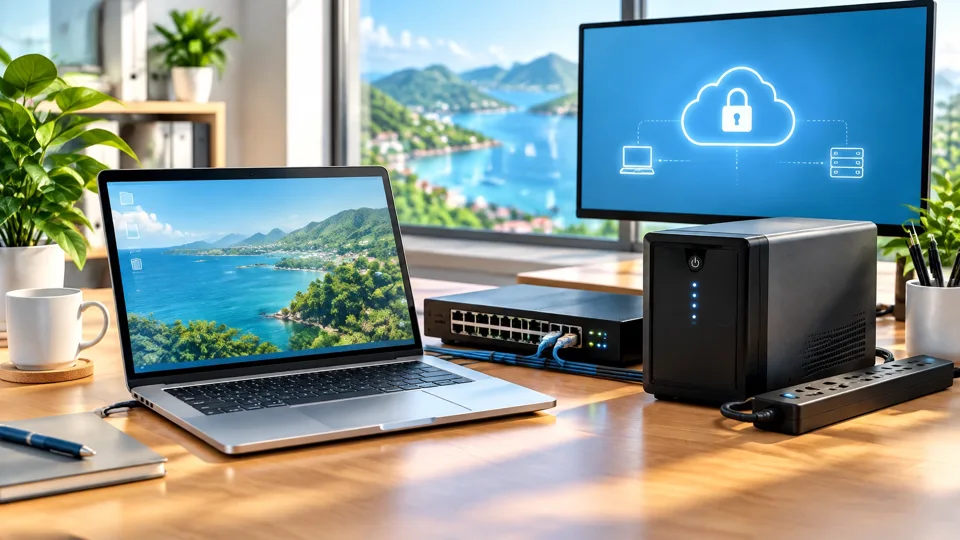
4. Cloud backup and business continuity
A Microsoft 365 subscription or cloud storage account is not automatically a complete backup strategy. Your budget should include independent backup, retention and restore testing.
A useful starting point is the 3-2-1 backup rule:
- Keep at least three copies of important data.
- Use at least two different types of storage.
- Keep at least one copy offsite or offline.
For a BVI business, offshore cloud backup can help protect against local office damage, equipment failure, power disruption or loss of access to the primary premises. Fresh Mango's NeoVault and backup services can be considered as part of a wider continuity plan.
Budget for:
- Microsoft 365 backup.
- Server, laptop and workstation backup.
- Backup retention periods.
- Restore testing.
- Recovery documentation.
- Backup internet or communications where necessary.
An untested backup is a plan on paper. Include at least an annual recovery test, and more frequent testing for critical systems.
5. Hardware lifecycle and replacement scheduling
Hardware lifecycle means the planned period during which a laptop, desktop, server, network device or other piece of equipment remains suitable, supported and reliable.
Many businesses use a three-to-five-year replacement cycle, depending on device quality, workload and warranty coverage. The important point is to schedule replacements instead of waiting for failure.
Create a list showing:
- Device type and assigned user.
- Purchase date and age.
- Warranty status.
- Operating system compatibility.
- Expected replacement year.
- Business importance.
- Required specification.
Include laptops, desktop PCs, monitors, docks, printers, networking equipment, Wi-Fi access points and spare devices. If five laptops are likely to reach the end of their useful life in 2027, spread the cost across the year rather than treating the replacements as unexpected emergencies.
This is also where TCO, or total cost of ownership, matters. TCO includes more than the purchase price. It can include setup, support, repairs, software, warranty, shipping, downtime and eventual disposal.
6. Network security and firewall
Your firewall is not simply a box installed once and forgotten. It may require licence renewals, security updates, replacement planning, remote access configuration and monitoring.
Budget for:
- Firewall hardware or cloud firewall services.
- Security subscriptions and updates.
- Secure Wi-Fi and guest network separation.
- VPN or secure remote access.
- Network monitoring.
- Replacement of ageing switches and access points.
- Professional configuration and review.
Network security is especially important when staff work remotely, offices share connectivity or multiple locations need access to business systems.
7. Power protection and UPS equipment
Power interruptions are a practical concern for BVI businesses. A UPS, or uninterruptible power supply, provides temporary battery power and helps protect equipment from sudden loss of power and voltage fluctuations.
Consider UPS protection for:
- Servers and storage devices.
- Firewalls, switches and Wi-Fi equipment.
- Phone systems.
- Critical workstations.
- Network equipment supporting remote access.
Include battery replacement and testing in the budget. Power protection is part of business continuity, not just an electrical accessory.
8. Website, SEO and content
Your website is an operational and marketing asset. Budget for:
- Website design or redevelopment.
- Hosting and domain renewals.
- Security updates and backups.
- Content management.
- Search engine optimisation.
- Analytics and conversion tracking.
- New service pages, case studies and FAQs.
A website that cannot be updated, is not secure or cannot be found in search may be costing the business opportunities. Fresh Mango website, SEO and content services treat the website as an ongoing business asset rather than a one-off design project.
9. AI adoption and consultancy
AI adoption should be practical and controlled. You might budget for Microsoft Copilot licences, staff training, policy development, data readiness work or an AI consultancy project.
Start with useful, low-risk applications such as:
- Meeting summaries in Teams.
- Drafting and improving routine communications.
- Searching approved internal knowledge.
- Summarising documents.
- Creating first drafts of proposals or procedures.
Before purchasing licences for everyone, assess whether your data permissions, document structure and security controls are ready. Fresh Mango AI consultancy can help businesses evaluate practical use cases and adoption risks.
A simple percentage guide
As a starting point, a small business may find the following useful for dividing its total annual IT budget:
| Budget category | Suggested share |
|---|---|
| Managed IT support | 25% |
| Microsoft 365 and other software | 15% |
| Cybersecurity, training and certification | 15% |
| Backup and business continuity | 10% |
| Hardware lifecycle and replacements | 15% |
| Network security and firewall | 7% |
| Power protection and UPS | 5% |
| Website, SEO and content | 3% |
| AI adoption and consultancy | 2% |
| Contingency | 3% |
These are planning guidelines, not fixed rules. A regulated financial services firm may need to spend more on security and compliance. A hospitality business with customer-facing systems may need more investment in uptime, connectivity and hardware.
A useful overall starting point is approximately 3–6% of annual revenue for technology, although the right figure depends on your sector, size, risk profile and growth plans.
Before you sign the 2027 IT budget
Check that you have:
- Reviewed the previous 12 months of IT invoices and emergency costs.
- Listed every software, Microsoft 365, firewall, backup and hosting renewal.
- Confirmed expected headcount and device requirements.
- Identified hardware reaching the end of its lifecycle.
- Checked backup coverage and completed a restore test.
- Confirmed MFA, security training and cyber insurance requirements.
- Planned for hurricane-season disruption, power outages and remote working.
- Allowed for freight, supplier lead times and local availability.
- Separated recurring support from one-off projects.
- Included a contingency line and scheduled quarterly budget reviews.
Common IT budgeting mistakes
Avoid cutting backup, training or security first because they appear less visible than new hardware. Avoid buying laptops only when someone's device fails. Do not ignore automatic software renewals or assume Microsoft 365 includes every backup and security service you need.
Finally, do not treat IT as a one-off cost. Technology requires maintenance, updates, replacement planning, user support and regular review. The best budget is one that helps the business stay secure and productive throughout the year, not one that only responds after something goes wrong.
Frequently asked questions
What is a good IT budget for a small BVI business?
A practical starting point is around 3–6% of annual revenue, but this varies significantly. A law firm or trust company handling sensitive information may need a higher proportion than a low-complexity business.
Should managed IT support include Microsoft 365 licences?
Usually, Microsoft 365 licences should appear as a separate budget line. This makes user growth, licence renewals and unused accounts easier to manage.
Is cloud storage the same as cloud backup?
No. Cloud storage provides access to files, while cloud backup is designed to retain protected copies and support recovery after deletion, corruption or ransomware. Ask exactly what data is covered and whether restores are tested.
How often should business hardware be replaced?
Many businesses plan for replacement every three to five years. The right period depends on performance, warranty, operating system support, user requirements and the consequences of failure.
Do BVI businesses need Cyber Baseline certification?
Cyber Baseline is not a blanket legal requirement for every BVI business. However, it can provide independent evidence of good cyber hygiene and may support client due diligence, supplier requirements and cyber insurance readiness.
Should AI be included in the 2027 IT budget?
Yes, but begin with a defined use case. Budget for readiness, security, training and governance before rolling out AI tools widely.
Plan technology spending with confidence
A good IT budget gives business owners clearer choices. It helps you plan hardware before it fails, strengthen security before an incident and prepare for the local realities of power, connectivity and shipping.
If you are preparing your 2027 budget, consider arranging a business technology review with Fresh Mango. We can help you identify predictable costs, prioritise risks and build a practical plan for the year ahead.