Cannot connect to your VPN? Try connecting your home laptop/pc directly to your home modem/router with a network cable.
FAQ · VPN Drop-outs on Wifi
A VPN connection drops out on wifi because home wifi connections briefly lose signal far more often than people notice, and while a momentary drop is invisible during normal email or browsing, a VPN connection cannot tolerate even a split-second interruption, so it disconnects when wifi has a brief, otherwise imperceptible blip.
Why VPN is more sensitive to this than everyday browsing
Wifi connections routinely experience momentary drops as a normal part of how the technology works — moving slightly out of range, interference from other devices, or the router briefly switching channels. Regular internet use like email and web browsing simply retries automatically and you never notice. A VPN maintains a continuous secure tunnel, and that same split-second interruption is enough to break the tunnel and force a reconnection or a full disconnect.
The fix
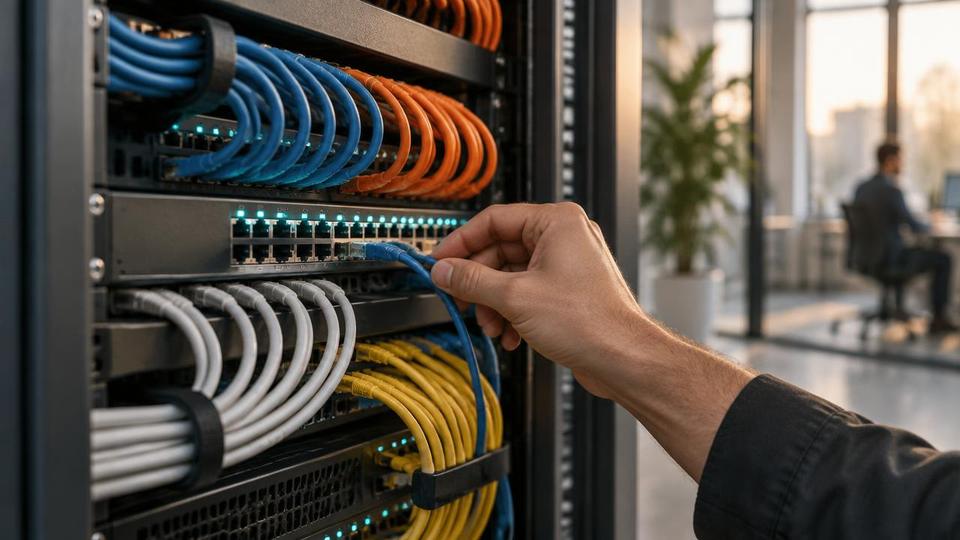
Connect your home laptop or PC directly to your home modem or router using a standard network (ethernet) cable — the same kind of cable used to connect a PC to an office network. A wired connection removes the wifi instability entirely and will noticeably improve VPN reliability.
When a wired connection isn't practical
Position the device as close to the router as possible to minimise wifi signal degradation.
Reduce interference by moving other wifi-heavy devices further from the router.
Consider a mesh wifi system or a wifi extender if the device must remain in a location with weak signal.
Frequently asked questions
Is this a fault with the VPN software itself?
No, in the vast majority of cases the VPN software is working correctly — the underlying wifi connection is the source of the interruption, not the VPN client.
Will a better wifi router fix this without needing a cable?
It can improve things, but even the best wifi router experiences occasional micro-drops; a wired connection removes the issue entirely rather than just reducing its frequency.
Does this affect video calls too, or just VPN?
Video calls are generally more tolerant of brief drops than a VPN tunnel, though persistent wifi instability will still cause noticeable call quality issues.
Most people connect to the internet at home using wifi. This is fine of course, but if you have a VPN link to your server, you may find it regularly drops out. This is because your wifi connection often drops, albeit just for an instant. In the normal use of email and internet browsing this would usually not be noticeable. In the case of VPN access, the slightest drop in internet connectivity will cause the VPN to drop.
Therefore, if possible, it is worth connecting your home laptop/pc directly to your home modem/router with a network cable. This is exactly the same kind of cable you have for connection of your PC to your office network. A ‘hard-wired’ connection like this will improve your VPN connection significantly.
Explore more in Computers & Hardware
Business laptops, desktops, servers, peripherals and repairs — plus the online store.