The ideal setup for your IT Systems
In this blog, I will set out the ideal setup for your business IT systems. It represents current best practices for small and medium-sized businesses, with an ever-increasing eye on cyber security. Initially, I thought it would be a single blog, but it turns out there is a lot to write about! I’m therefore going to publish it in a series of blog pieces. This is Part 1.Part 1 – Server and Network Equipment
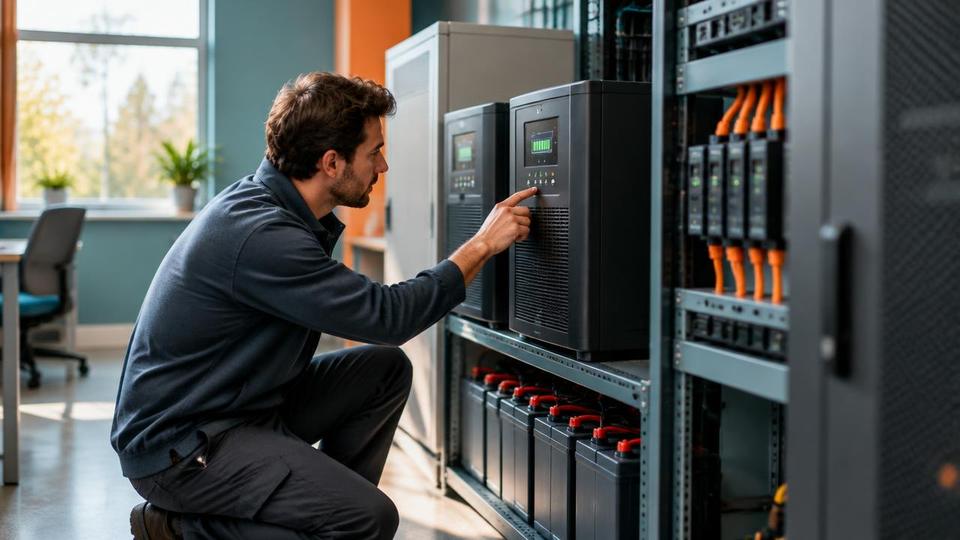
Server (On-premises) with UPS
Whether or not you need a server depends on the size of your business, typically if you have 6 or more staff a server becomes something of a necessity for productivity. An on-premises server, as the name suggests, is a physical server located in your offices. Servers provide numerous benefits:- At a most basic level, sharing documents across your company
- Business servers assist in handling communications, database functions or hosting business applications for multiple users
- Protecting your data – once all your business data and software is on a server (instead of dispersed across desktop computers and laptops) you can deploy a backup system to protect your business from data loss.
- Running security suites to secure your network through firewalls, intrusion detection, user access management, and software updates.
- Servers tend to be used to centralise data management and file sharing, as well as managing shared resources such as printers and storage devices. They can also be used to manage things like user identities, logins to the network, access priorities and many aspects of your new system.
Server (Cloud)
There is a lot of misinformation surrounding cloud servers, I will attempt to bring some clarity to it here. A cloud-based server is still a physical server, it simply happens to be located somewhere else (ie not on your premises). Ordinarily, this would be in a data centre. In order to access your server files etc, you need to do so over the internet (an on-premises server is accessed via your local, internal network). Aside from that, there is very little difference to an on-premises server. So your server and network still need to be professionally maintained and managed, having a cloud server does not change that.Hybrid Cloud (Ideal setup for your IT Systems)
Increasingly companies are adopting a hybrid server solution – both an on-premises server and a cloud server. This provides the ‘best of both worlds’ eg:- Sensitive data can be retained on your physical server, with the added security that provides
- Data that you wish to make available to third parties or even staff working off-site can be stored in the Cloud and made available accordingly
- Software and applications that can only operate in an on-premises environment can still be used (sometimes these may be lost if the software is not cloud-compatible)