Office power and cooling cannot support a server reliably
Move the physical hardware to a managed facility while keeping ownership and on-island data residency.
Fresh Mango's managed co-location service provides a server as your own BVI-based ‘cloud’ server or as a backup...
Managed Co-Location · British Virgin Islands
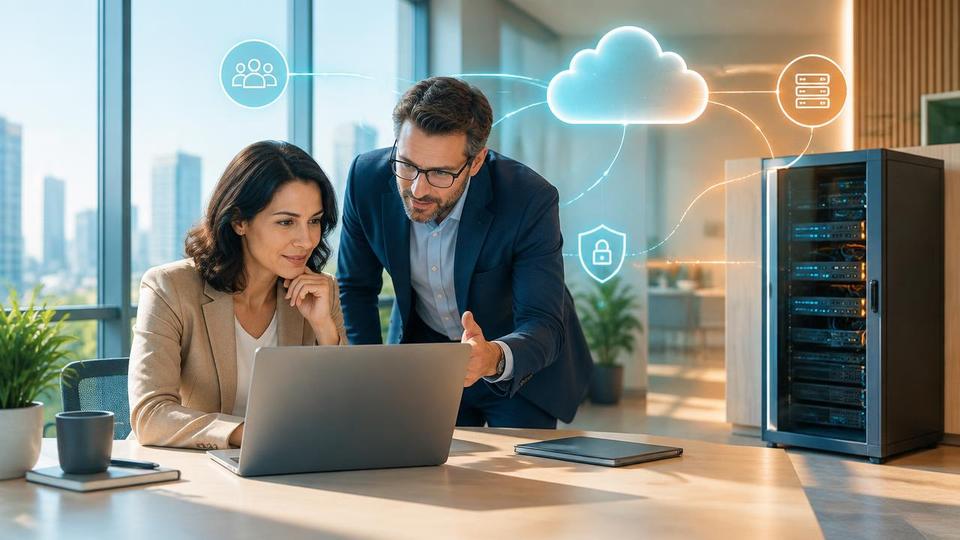
Managed co-location is the housing of a business's own server hardware in a purpose-built facility with resilient power, cooling and connectivity, managed on the client's behalf by Fresh Mango Technologies, as an alternative to keeping that hardware in an office or moving it fully to the cloud.
Co-location keeps ownership of the physical server with the business while removing it from the office environment, where power interruptions, air conditioning failures and physical risk are hardest to control.
It sits between two other options covered elsewhere on this site: keeping a server in the office, and moving the workload entirely into Microsoft Azure or Microsoft 365.
A business's server hardware is installed in a Fresh Mango-managed facility built for continuous operation: conditioned power with battery and generator backup, dedicated cooling, fire suppression and controlled physical access. The server remains the business's own asset; Fresh Mango manages the environment it runs in and, where contracted, the ongoing administration of the server itself.
Connectivity back to the office and to the internet is provisioned and monitored so the server behaves, from the user's perspective, as though it were still on-site — only more reliably.
Rack space, redundant power feeds, uninterruptible power supply and generator backup, environmental cooling and monitoring, restricted physical access, monitored internet connectivity, and remote hands support for physical tasks the client cannot perform themselves.
Fresh Mango Technologies has operated managed co-location for British Virgin Islands businesses since well before cloud hosting was a practical option locally, and continues to run it as a genuine alternative rather than a legacy service. We handle the facility, the connectivity, the monitoring and, where agreed, ongoing administration of the hardware itself.
Independent backup of anything running on a co-located server remains essential — co-location protects the environment a server runs in, not the data on it, which is why we pair it with tested backup and, for cloud-based data, our cloud-to-cloud backup service.
| Consideration | Managed co-location | Cloud hosting (Microsoft Azure) |
|---|---|---|
| Hardware ownership | Business owns the physical server | Provider owns the underlying hardware |
| Data location | Stays within the British Virgin Islands facility | Held in the cloud provider's chosen region |
| Resilience | Facility-grade power, cooling and physical security | Redundancy across the provider's data centres |
| Best suited to | On-island residency, existing hardware, hybrid setups | Workloads with no residency constraint, variable demand |
| Ongoing cost | Facility and connectivity fee, plus hardware lifecycle cost | Consumption-based billing, no hardware to replace |
Move the physical hardware to a managed facility while keeping ownership and on-island data residency.
Co-locate rather than move the workload to an off-island cloud region.
House the server in a facility built for continuous operation instead of an office that may lose power.
Replicate to a co-located server as a secondary site, separate from the primary office.
Co-location houses a business's own physical server in a managed facility with resilient power and cooling; the business still owns the hardware and its data stays on-island. A cloud server such as a Microsoft Azure virtual machine runs on infrastructure owned by the provider, with no physical hardware for the business to own or replace.
Typically because of a regulatory, client contract or operational requirement to keep specific data or hardware physically within the British Virgin Islands, or because existing hardware still has useful life and does not need replacing.
Co-location protects the environment a server runs in — power, cooling, physical security — not the data on it. Independent, tested backup is a separate requirement and should be arranged alongside co-location, not assumed to be included.
Yes, this is the common pattern. A co-located server handles the workload that must stay on-island, while Microsoft 365 covers email and collaboration and Azure handles any workload with no residency requirement.
Facilities are built with conditioned power, battery and generator backup, and dedicated cooling specifically because office-grade infrastructure is not reliable enough during storms. Ask specifically what backup power duration and cooling redundancy are provided before committing.
Practical advice, no obligation
Book a free 30-minute consultation to discuss your current server, its power and cooling risks, and whether co-location, cloud hosting or a mix of both is the right fit.
Cloud servers, hosted desktops, offshore backup and disaster recovery.
 Cloud & BackupFresh Mango’s Guide to On-premises (physical) servers and Cloud serversWe have written a guide on physical (on-premises) servers and cloud servers, with their pros and cons. See which is right for your business.Learn more Cloud & BackupHosted DesktopsHosted Desktops (also known as Desktop as a Service or DaaS) provide your users with a familiar Microsoft Windows environment on a virtual desktop.Learn more
  Cloud & BackupThe importance of BackupsDo you backup your data? Do you check it? How confident are you that you could restore your data in the event of a data loss?Learn more Cloud & BackupOffshore Data BackupCloud backup service from Fresh Mango suitable for offshore backup - Ideal solution for companies who wish to backup...Learn more Cloud & BackupCloud to Cloud BackupCloud Backup is increasing in importance as more businesses move their data to the Cloud. Fresh Mango recommends the best solutions.Learn more Cloud & BackupSign Up for a NeoVault AccountSign up for a neovault account on fresh mango technologies BVI. neoVault is an online-based disaster recovery solution. Depending on your...Learn more Article10 Jul 2026Looking for Reliable Backups? (The 3-2-1 Rule)Wondering if your data is actually safe? Learn the 3-2-1 backup rule and how NeoVault offshore cloud backup gives BVI businesses bulletproof protection.Read article Article28 Apr 2026Do You Really Need Offline Backups? The Truth About Protecting Your Data in 2026It is a fair question to ask: Do you really need offline backups anymore?The short answer is: Yes, more than ever.Read article Article19 Jul 2019Backing up and protecting your data - the basicsI was asked at a networking meeting recently for recommendations on best practice for backing up a laptop. It was in the context of an...Read article
 Not sure which Cloud & Backup option fits your business?
Contact Fresh Mango