Have you ever experienced that sinking feeling in your stomach when a laptop refuses to turn on or a server suddenly goes silent? It is the moment you realize that days, weeks, or even years of work might be gone in an instant. Data loss isn’t just a technical glitch; it is a business emergency that can halt your operations and hurt your reputation.
At Fresh Mango Technologies, we see this happen far too often. Hardware fails, accidents happen, and cyber threats like ransomware are always looking for a way in. But here is the good news: you don’t have to live in fear of a crash. The secret to sleeping soundly at night is a simple, industry-standard strategy called the 3-2-1 rule.
What is the 3-2-1 Backup Rule?
The 3-2-1 rule is the gold standard for data protection. It is a straightforward framework designed to ensure that no matter what happens: from a spilled coffee on a keyboard to a major hurricane: your data remains safe and recoverable.
Why is this rule so effective? Because it eliminates single points of failure. If you only have one backup, you are still at risk. If that backup fails, you are back to square one. The 3-2-1 rule creates layers of protection that make it nearly impossible to lose your data permanently.
The rule is simple:
- 3 copies of your data.
- 2 different types of media.
- 1 copy stored offsite.
3 Copies: Why One Isn’t Enough
The first part of the rule is to have at least three copies of your data. This includes your primary data (the files you work on every day) and at least two backup copies.
Why three? Think of it as a “belt and braces” approach. If your primary hard drive fails, you go to your first backup. But what if that backup was corrupted during the last save? With a third copy, you have a safety net for your safety net.
In a business environment, these copies should be updated frequently. We recommend daily backups at a minimum, though many of our Managed IT Services clients prefer continuous or hourly updates to ensure they never lose more than a few minutes of work.
2 Different Media Types: Don’t Put All Your Eggs in One Basket
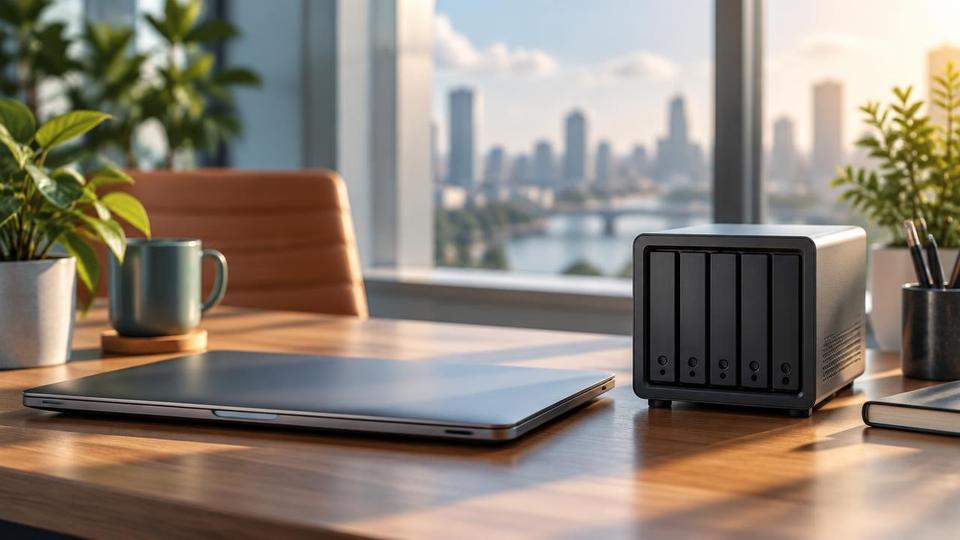
The second part of the rule requires you to use two different types of storage media. If you keep your original data on a laptop’s internal SSD and your backup on an external hard drive, you have satisfied this requirement.
Why does the media type matter? Every storage technology has its own weaknesses. Physical hard drives can suffer mechanical failure. Flash drives can be lost or wear out. If you store all your backups on the same type of device, a manufacturing defect or a specific type of environmental stress (like a power surge) could potentially destroy both copies simultaneously.
By using different media, such as a local Network Attached Storage (NAS) device and a cloud backup solution: you significantly reduce the odds of a double failure.
1 Offsite Copy: The NeoVault Advantage
This is the most critical step for businesses in the British Virgin Islands and beyond. You must keep at least one copy of your data in a physically different location from your office.
Why is this a problem if you don’t? Imagine a fire, a flood, or a break-in at your office. If your primary computer and your local backup drive are sitting on the same desk, they will both be destroyed or stolen at the same time. An offsite copy ensures that even if your entire building is gone, your business data is not.
At Fresh Mango Technologies, we provide a specialized solution called NeoVault. NeoVault is our secure, encrypted offshore cloud backup service. It doesn’t just copy your files; it can “image” your entire system, including your operating system and settings. This means if your server fails, we can restore the whole environment quickly, rather than just handing you a pile of raw files.
Why Local and Cloud Must Work Together
We often get asked: “If I have the cloud, why do I need a local backup?” Or vice versa.
The answer is speed and reliability.
- Local backups are incredibly fast. If you accidentally delete a folder, you can usually pull it back from a local drive in seconds. It doesn’t depend on your internet connection.
- Cloud backups (like NeoVault) are your ultimate insurance policy. If your local hardware fails or the office is inaccessible, the cloud is there.
By combining both, you get the best of both worlds: the speed of local recovery and the total security of the cloud. This is exactly what we recommend in our FAQ on the best ways to back up.
Proactive Management: The Fresh Mango Way
Setting up a backup is only half the battle. The most dangerous backup is the one you think is working but hasn’t actually run in three months.
This is where proactive Managed IT Services come in. We don’t just set it and forget it. We monitor your backup systems 24/7 to ensure they are completing successfully. If a backup fails at 2:00 AM, our team knows about it and starts fixing it before you even walk into the office.
We pride ourselves on our response times. Our standard Support SLA is 4 hours, but in reality, we typically respond within minutes. In fact, 95% of our support requests are resolved within a single hour. We treat every solution as an individual project and see every request as an opportunity to help you improve.
Simple Steps You Can Take Today
Are you worried your current setup isn’t up to scratch? Here are a few quick tips to get started:
- Inventory your data: Do you know where all your critical business files are? Check your servers, your PCs, and even your staff’s laptops.
- Test your restore: A backup is only as good as its ability to restore. Try recovering a random file today. If you can’t, your backup isn’t working.
- Check the “Offsite” box: If you don’t have a copy of your data outside your building, call us. We can set up a trial of NeoVault to show you how easy it is.
Need Help? We’re Right Here
Managing IT shouldn’t be a headache for you. We act as your “helpful neighbour” in the tech world, handling the complex stuff so you can focus on running your business. Whether you need a hardware upgrade, a security audit, or a complete backup overhaul, we are here to help.
For simple issues, feel free to chat with our AI Agent on our website. For anything else, the fastest way to get support is to submit a ticket through the Fresh Mango App or Portal. It goes straight to our technicians, and we’ll get to work immediately.
We hope this advice has helped clarify why the 3-2-1 rule is so important for your business. Don’t wait for a disaster to happen: let’s get your systems resilient today!
Fresh Mango Technologies is Cyber Baseline certified!