 o) but the UC500 series is a fussy mistress and she scoffed at my attempts, laughing maniacally at my tears.
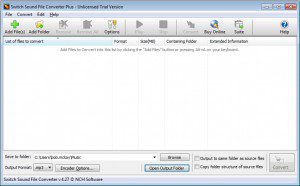
After much search, I finally discovered the Switch Sound File Converter Plus - a free utility that does everything you need to convert the file to the appropriate format.
o) but the UC500 series is a fussy mistress and she scoffed at my attempts, laughing maniacally at my tears.
After much search, I finally discovered the Switch Sound File Converter Plus - a free utility that does everything you need to convert the file to the appropriate format.
Why This Format?
Personally, I think this file format is woefully inadequate - the UC500 series prides itself on being a cutting edge unit with the excellent call quality (even our handsets connected via VPN have great clarify) and yet the AutoAttendant - the first impression people have of your business on the telephone - is restricted to an audio quality level of 8bit, 8KHz? This is lower audio quality than the games on my very first PC (20 years ago)! I can only assume this is a throw-back to some archaic chipset used in the unit for the AutoAttendant but I hope I'm wrong and it's actually a software restriction as if that's the case, there may be an update.Additional Formatting
You can get the best out of your audio recording by normalizing the recording, running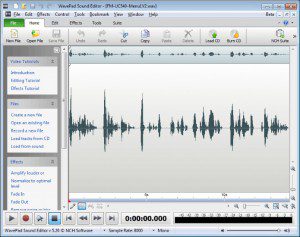 a noise reduction filter against it and tweaking the levels in an equalizer.
Fortunately for us, the same team that made the Switch Sound File Converter Plus also have a wonderful sound editor called the WavePad Sound Editor that does all of the above and much more and even saves directly into the format mentioned above ready for use on the Cisco UC500s units!
a noise reduction filter against it and tweaking the levels in an equalizer.
Fortunately for us, the same team that made the Switch Sound File Converter Plus also have a wonderful sound editor called the WavePad Sound Editor that does all of the above and much more and even saves directly into the format mentioned above ready for use on the Cisco UC500s units!